
m.r.Lighting Control
App. for Building Lighting Control
Full Lighting Controls - Software
Our (MRBAS) Smart-Phone App Program is based on our Software (Smartrol v.3.1). We have created the Smart-Phone specific App Program by extracting the Key Points from our Lighting Control Software (Smartrol v.3.1). We have covered the essential functions of our ELC Lighting Control System to our Smart-Phone App Program. Especially, this App Program has various functions such as Schedule Program, MY PAGE, MY SCENE setting and programmed contents downloading to replace the software of Monitoring PC.
Background of Development
In a recent situation, where the Smart-Phones have become accustomed, building tenants want to control the Lighting for their area by Smart-Phone instead of local switch. From this background, we have developed the Smart-Phone App program that can be connected to our ELC Lighting Control System. It was developed as an APP Program that can run on Android of Google or IOS of Apple and even from the Internet Browse Window, simply register our System’s IP address to run this program more easily.
This App program is available to control the ON/OFF & Dimming for lighting and also for the Relay’s ON/OFF control for the Lighting Control as well. The Schedule Program Setting Control for each area and region was also can be done from this Smart-Phone App Program. In addition, the My Page & My Scene functions have been added to this App Program to make it more easier to Residents to control and manipulate the Lighting of people’s area and moving line.
This App program is available to control the ON/OFF & Dimming for lighting and also for the Relay’s ON/OFF control for the Lighting Control as well. The Schedule Program Setting Control for each area and region was also can be done from this Smart-Phone App Program. In addition, the My Page & My Scene functions have been added to this App Program to make it more easier to Residents to control and manipulate the Lighting of people’s area and moving line.
Main Feature
…Applicable to all Smart-Phone for Android & iPhone.
…It operates with two types of APP. One with the Server and one without the Server.
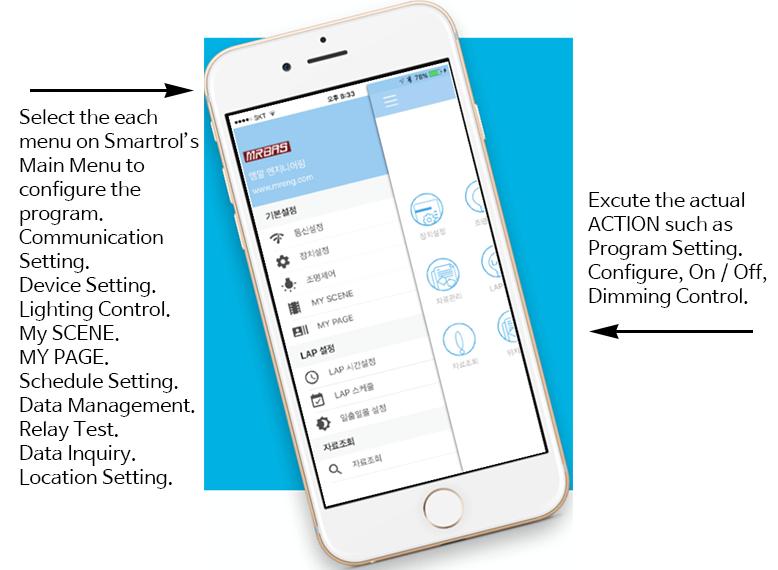
…Communication Setting : The Communication Connection with ELC System and SCU.
…Device Setting : Various Relay Module, DALI Dimming Module, Wireless Dimming Module, Switches and Group Switches.
…Lighting Control Setting : The specific control program setting for each device that created from device setting.
…Data transmission & Schedule Control.
…Data Inquiry : LOG & Run Time.
The residents can set up and operate the MY PAGE & MY SCENE functions for their own area.
…It operates with two types of APP. One with the Server and one without the Server.
…Communication Setting : The Communication Connection with ELC System and SCU.
…Device Setting : Various Relay Module, DALI Dimming Module, Wireless Dimming Module, Switches and Group Switches.
…Lighting Control Setting : The specific control program setting for each device that created from device setting.
…Data transmission & Schedule Control.
…Data Inquiry : LOG & Run Time.
Application
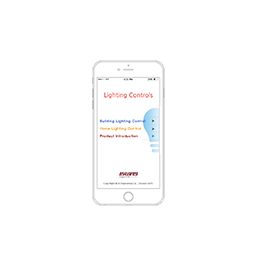
The user who wants to install the mr.app, search the "m.r.Lighting Control" app from the App Store to download it.
Install this App to Smart-Phone and building tenant is able to establish the communication setting for SCU and ELC System. Then register the location setting of the corresponding project. Also, register the Device Setting for each lighting control device & switches. Able to set up the Schedule Control Program for their area and select the data transmission to download the Programmed APP Contents to each of Lighting Control Device.
The residents can set up and operate the MY PAGE & MY SCENE functions for their own area.
Categories
Date
Download